Changelog

Follow new updates and improvements to Sparrow Intel.

Auto Property Groups - Groups that build themselves

Hi there !

Property groups power a lot of Sparrow Intel. Filters, rules, scheduled reports and review widgets are all scoped by them. But building a group meant hand-picking properties, and keeping it current meant remembering to come back every time a listing was added, moved or re-tagged in your PMS.

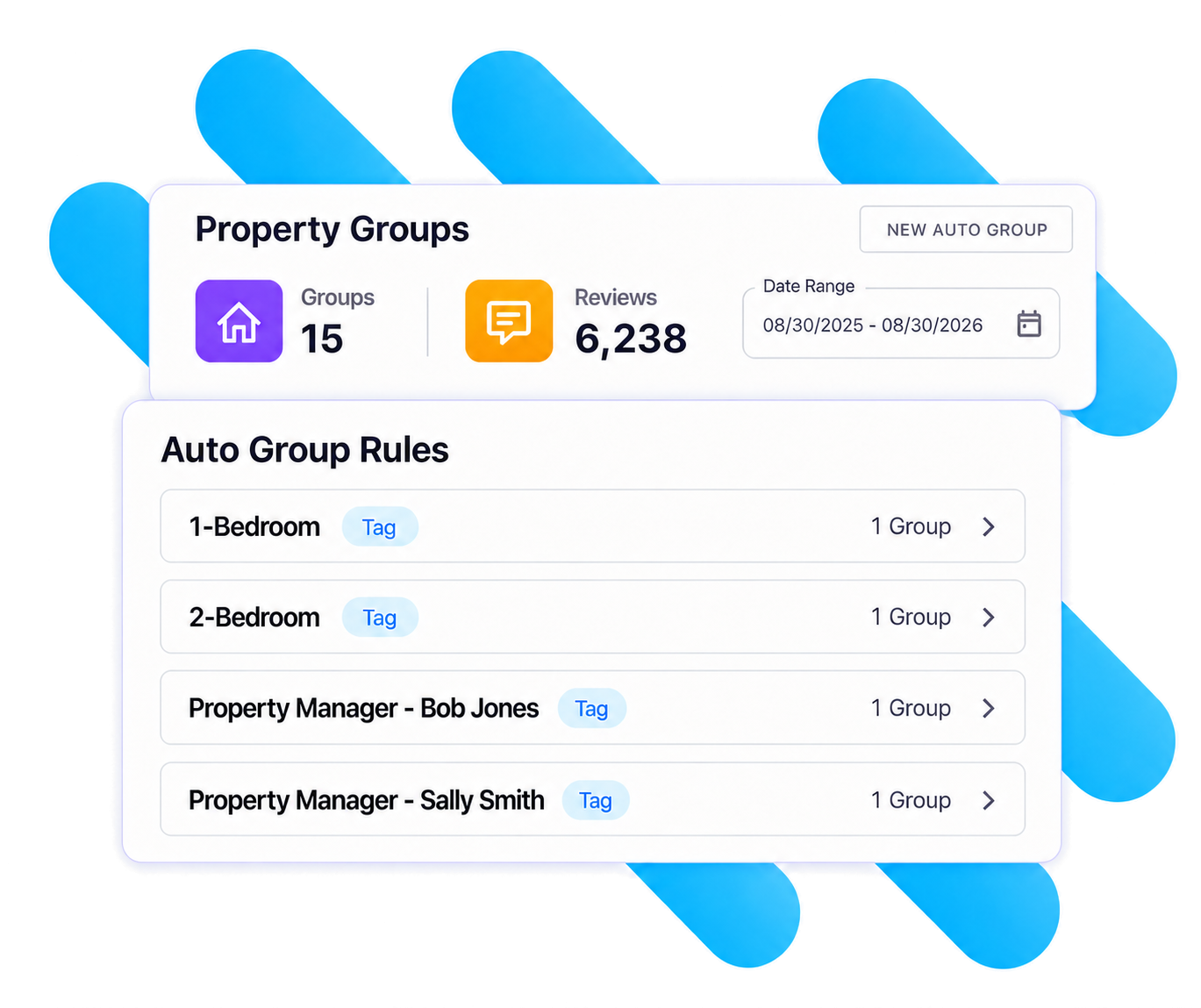
Today we're launching Auto Property Groups: groups that build and maintain themselves from your listing data. You choose what to group by; Sparrow Intel creates the groups and keeps their members up to date as your listings change.

Group by what already describes your portfolio

  • City, state/region, or both. Works with every connected PMS, using the address already on each listing. One group per market, created in a click. Choose "City + State/Region" when the same city name appears in more than one state or region.

  • Guesty custom fields and tags. Group by any custom field, either as a single group for one value or one group per distinct value. Or pick a tag to get a group of every listing carrying it.

  • Track custom fields, node hierarchy, unit roles and amenities. Group by unit custom fields like Brand, by any level of your node tree (one group per destination, for example), by who holds a unit role (one group per property manager), or by an amenity you use as a collection flag.

On a different PMS? City and state/region already work for you. If your PMS has fields or tags you'd like to group by the same way, reach out to us and tell us which. That's how we decide what to add next.

Set it once and it stays right

  • One group per value. A new value in your PMS becomes a new group automatically, so opening a new market doesn't mean another trip to Property Groups.

  • Membership follows your PMS. During your daily sync, properties that gain a city, field value or tag join the group, and properties that lose it leave.

  • Manual groups aren't going anywhere. Auto groups sit alongside the groups you build by hand. Delete a rule any time and choose whether to keep its groups as regular manual groups.

Getting started takes about a minute

  1. Head to Property Groups in the sidebar and click New Auto Group.

  2. Pick any property. It's only there to show you what you can group by and what its own values are. Choose a field, then "This value only" or "One group per value."

  3. Check the preview and click Save. Your groups appear right away.

For the full walkthrough, including what each Track field maps to, see the Auto Property Groups help guide.

Log in and try it on your biggest market. If you'd like help mapping your PMS setup to groups, just reply to this email.

Want to learn more?

If you'd rather walk through it together, or catch up on any of the other features we've recently released, book time with us. We'll help you set up your first auto group rules before the call ends.

P.S. Auto groups also work in Conversations and Chirp AI Voice. More on that soon, but if you'd like to learn about Conversations and Chirp AI Voice now, talk to us here.

Review Widgets - Your guest reviews, on your website

Hi there!

Your guest reviews are your best marketing - but until now, unless your team did custom development work, they've lived on Airbnb, Vrbo, Booking.com, Google, and more, not on the one site you actually own.

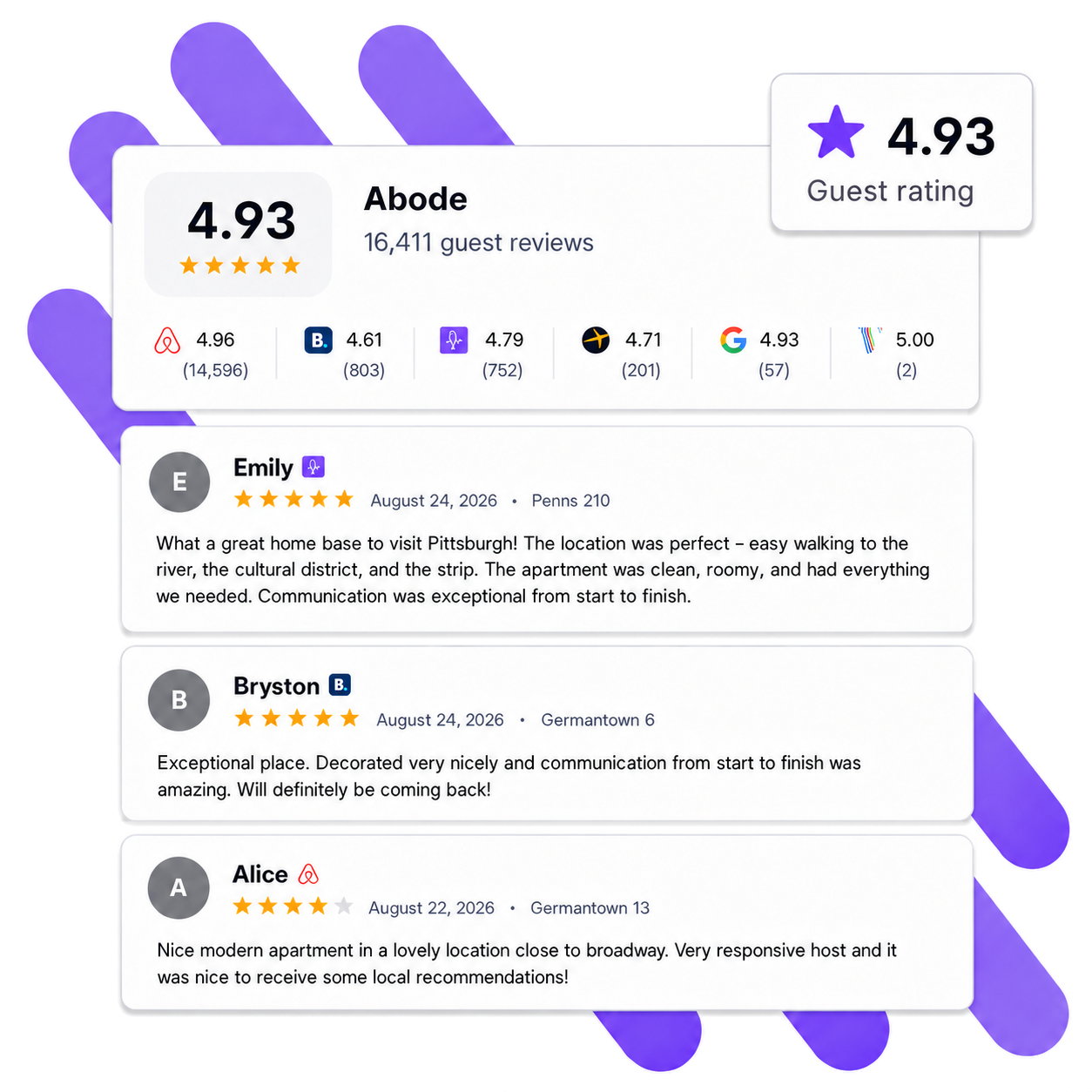
Today we're launching Review Widgets: embed your real guest reviews directly on your own website with a simple copy-and-paste snippet. No developer required.

Build it your way

  • Pulls from all your connected channels — Airbnb, Vrbo, Booking.com, Google, and direct guest feedback, all in one wall of social proof that updates automatically as new reviews come in.

  • Matches your brand — light or dark theme, your brand color, and full control over what's shown: review dates, channel badges, property names, host responses, and your overall rating.

  • You control the content — set a minimum star rating, choose which channels to include, exclude reviews containing specific keywords, hide rating-only reviews, and sort by newest or highest rated.

  • Scope it to fit — show reviews from all properties, a property group, or specific properties. Or drop one widget into your property page template and it automatically shows each property's own reviews.

  • Fast and lightweight — the widget is tiny and won't slow your site down or clash with your site's styling.

Getting started takes about five minutes

  1. Head to Review Widgets in the sidebar.

  2. Create a widget, customize the design and content, and watch the live preview update as you go.

  3. Copy the install snippet and paste it into your website.

That's it — your reviews are live on your site and stay up to date on their own.

Have a dev team and want even more customization? You can also pull your reviews programmatically through our Public API and build a fully custom display.

Log in to create your first widget, or if you'd rather walk through it together — or catch up on any of the other features we've recently released — book time with us.

Asana Integration

Turn guest feedback into action — automatically.

Sparrow Intel now connects directly to Asana, so cleaning issues, maintenance problems, and guest complaints identified in your reviews and messages can become trackable tasks in your team's workflow without any manual effort.

What it does

Automatic task creation powered by Chirp AI. When Chirp detects a cleaning or maintenance issue in a review, private feedback, or guest message, it can create an Asana task automatically — assigned to the right person, in the right project, with a link back to the original source. Set up rules with conditions like review sentiment, rating, or keywords, and let the system handle the rest.

Manual task creation from any review. Spot something that needs attention? Click "Create Task" on any review, choose your Asana project and assignee, and the task appears in Asana with full context and a direct link back to the review in Sparrow Intel.

How it works

Connect your Asana workspace in under five minutes using a Personal Access Token. Once connected, Sparrow Intel syncs your projects and team members automatically — no ongoing maintenance required.

From there, you can create tasks manually from any review, or set up rules to automate task creation when specific conditions are met. Every task links back to its source in Sparrow Intel so your team always has the full picture.

Key details

  • Tasks can be assigned to any member of your Asana workspace, or left unassigned

  • Projects sync automatically at least once per day

  • Personal Access Tokens don't expire — connect once and you're set

  • Tasks are managed in Asana after creation, with a link back to Sparrow Intel for context

Get started

Head to your Integrations tab in Sparrow Intel and click "Connect" next to Asana. Full setup instructions are available in our help center.

This integration is currently in beta. We'd love your feedback — let us know how it's working for your team.

Earlier updates