Rule Conditions (for Reviews)
Written By Chad McGuire (Sparrow Intel)
Review rules are automations that trigger when you receive a review. Below are the different conditions you can use, or combine, to create your review rules.
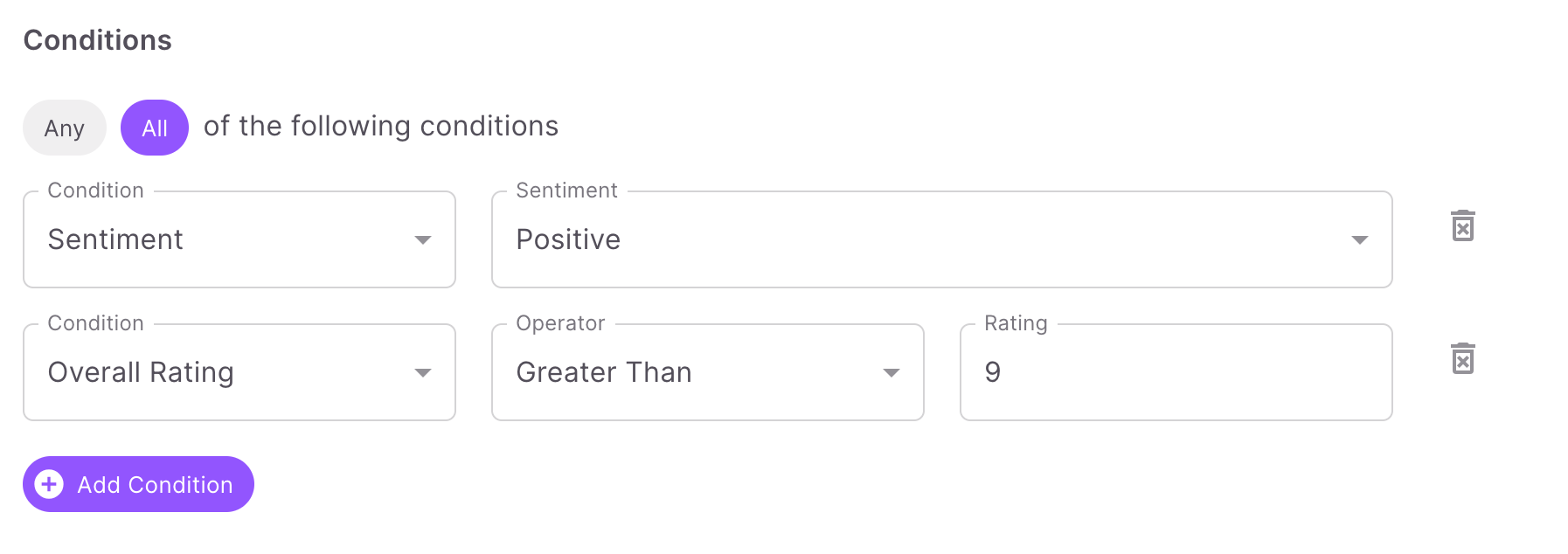
The following conditions are supported by Sparrow Intel's rule engine for Review rules:
Overall Rating: Allows you to specify an operator (equals, less than, or greater than) and a overall review rating (normalized out of 10) to trigger the rule.
Cleanliness Rating: Allows you to specify an operator (equals, less than, or greater than) and a cleanliness review rating (normalized out of 10) to trigger the rule.
Sentiment: Allows you to specify Positive, Negative, or Neutral sentiment of the review text to trigger the rule.
Contains Word(s): Allows you to specify a word or phrase. If this word or phrase is contained in the review text, the rule will be triggered.
Property: Allows you to specify a property to run the given rule on.
Property Group: Allows you to specify a property group to run the given rule on.
OTA: Allows you to specify a review source (online travel agencies such as Airbnb, etc.) to run the rule on.
Has Cleaning Issues: Triggers the rule if Sparrow's Chirp AI discovers any cleaning issues in the review or private feedback.
Has Maintenance Issues: Triggers the rule if Sparrow's Chirp AI discovers any maintenance issues in the review or private feedback.
Note: If you do not scope a rule to a specific property or property group, it will apply to all of your properties. Property and property group are just two of several possible “conditions” in our rules engine.
Was this helpful?
Still need help? Ask the team